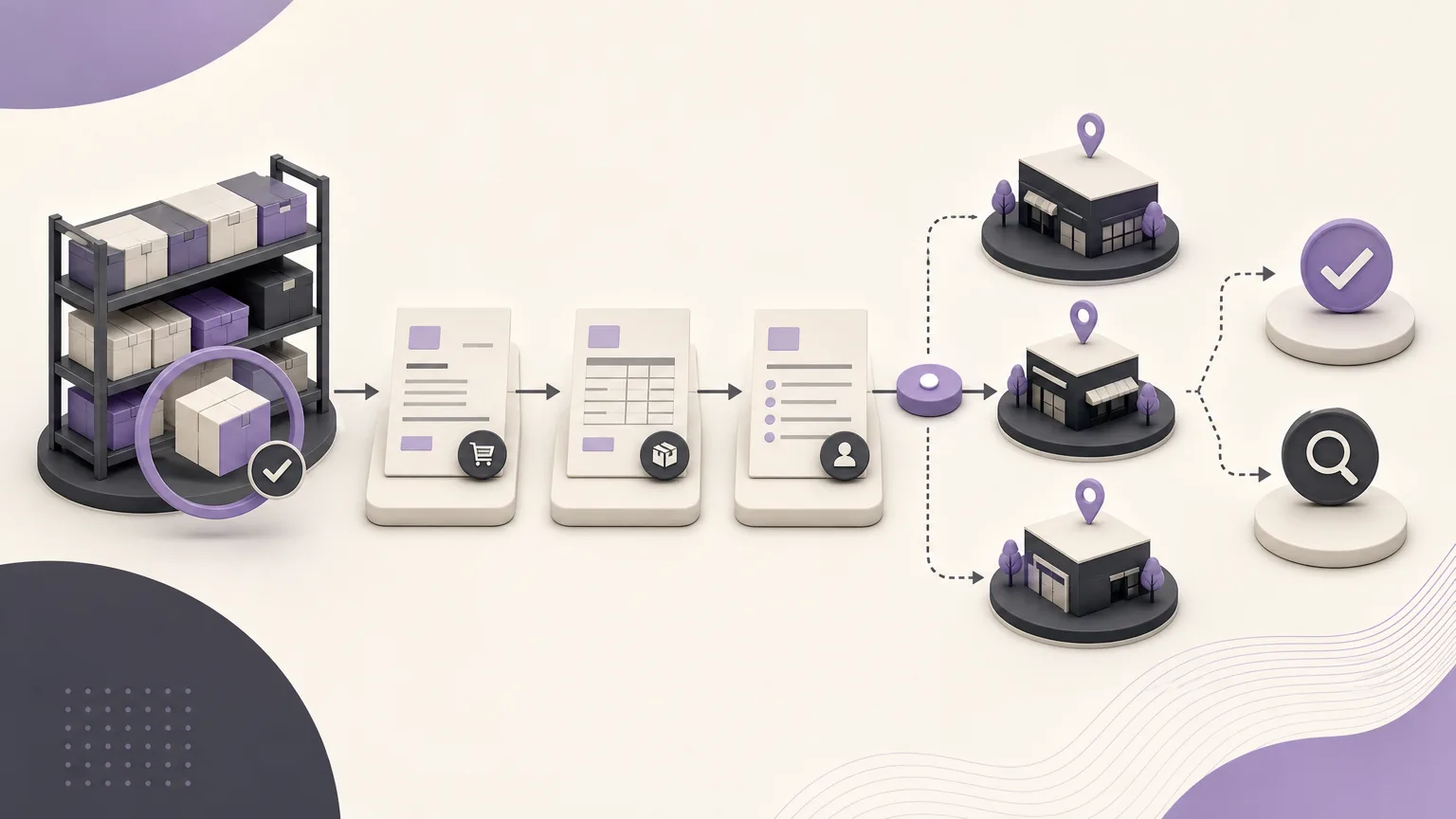
Reducing slow-moving inventory does not begin with a random discount or a new purchasing decision. It begins with a clear view of what is happening to each item. When sales, orders, and inventory information sits in separate files or disconnected views, teams may struggle to tell which items are moving slowly, whether the issue is temporary, and which cases require immediate attention.
OrdertechERP connects sales, orders, inventory, accounting, reporting, and branches in one operating space. This gives inventory and sales teams a shared context for reviewing item activity and deciding what should happen next, based on the company’s configuration and user permissions. The value is not automatic: the quality of the outcome depends on accurate data, appropriate setup, and clear ownership.
Define what “slow-moving” means for your business
Before reviewing a list of items, agree on a practical definition that the team can apply consistently. Low movement may mean no sales during a defined period, a decline compared with similar items, or a quantity that does not fit the item’s actual demand. There is no universal threshold. A seasonal item should not be assessed in the same way as a fast-moving item, and an item intended for one branch may need a different view from an item shared across branches.
Inventory and sales teams should agree on questions such as:
- What period should be used to assess item activity?
- Should the review be conducted by item, by branch, or by both?
- How should seasonal and newly introduced items be treated?
- Who reviews the item, and who has authority to approve the next action?
This turns “slow-moving inventory” from a general impression into a condition that can be reviewed and discussed.
Read item activity alongside sales and orders
Start by reviewing the item activity, sales, and order data available in OrdertechERP. The goal is not to collect every possible figure. It is to build enough context for a sound operational interpretation. Compare the quantity on hand with the pace of sales, check for open orders or visible changes in demand, and consider whether stock is distributed across branches in a way that reflects actual need.
A useful review has three layers:
- Detection: identify items showing low activity or a quantity that appears out of proportion to demand.
- Validation: check the item data, activity records, customer orders, and the location of stock across branches.
- Decision: select a clear action, assign an owner, and set a review date.
When a result looks unexpected, do not move straight to reprioritizing the item. The data may be incomplete, the item may be seasonal, or an order may not have been recorded correctly. Reliable follow-up starts with reliable inputs.
Turn the list into operating questions
A list by itself will not reduce slow-moving stock. After identifying the items, bring together inventory and sales, and involve accounting or a branch representative when needed. For each item, discuss questions such as:
- Is low movement caused by weak demand, an available alternative, or a sales presentation and prioritization issue?
- Is stock held in one branch while another branch has a more relevant need?
- Are there open orders or commitments that should be considered before taking action?
- Under company policy, should the item’s pricing or presentation be reviewed, or should replenishment be paused temporarily?
- Which action can the team approve within its permissions, and which action needs additional approval?
The right action will not be the same for every item. It may be a review, a change in follow-up priority, a temporary pause in replenishment under company policy, coordination between branches, or another data check at a later date. What matters is that the decision has an owner, a reason, and a review point rather than remaining a general note.
Use the operational assistant to connect data with the next step
OrdertechERP includes an AI-powered operational assistant that connects orders and data to the next step according to the company’s configuration and team permissions. It can support the review process by directing attention to an item that needs validation or by helping organize an appropriate follow-up path within the available permissions.
The assistant does not remove the need for human review or compensate for an incorrect setup. Teams should verify the basis of a recommendation, check the relevant data, and distinguish between an action that can be carried out directly and one that requires approval. It should not be used to bypass company policy or a user’s assigned authority.
Give each team a clear role
| Team | Role in follow-up |
|---|---|
| Inventory | Validate quantity, activity, and item location, then update the review status. |
| Sales | Explain changes in demand and review sales opportunities or barriers affecting the item. |
| Branches | Clarify differences in local need and identify cases that require coordination. |
| Accounting | Participate when the decision affects financial treatment or requires internal review. |
| Reporting and management | Set the review cadence and monitor decisions within the approved policy. |
This division reduces duplicated effort. Instead of every team reviewing the same list in the same way, each group contributes the information it is best positioned to provide.
Build a repeatable review cycle
Make slow-moving item review part of the operating rhythm rather than a one-time campaign. Set a cadence that fits the business, then use each review to compare open cases with completed actions. Record the reason for the decision, the responsible team, the next review date, and whether additional approval is needed.
It is also useful to review the setup when results appear inconsistent. Are branch records up to date? Do user permissions match actual responsibilities? Does the item classification reflect the way the company operates? Configuration should not be changed simply to improve the appearance of a report. Any change should represent the company’s real workflow and policies.
Conclusion
Reducing slow-moving inventory is a process: read item activity alongside sales and orders, validate the situation with the relevant teams, and convert the findings into a specific follow-up decision. OrdertechERP brings sales, orders, inventory, reporting, and branch context into one operating space, while its operational assistant can connect data to the next step within the company’s configuration and team permissions.
The result still depends on data quality, setup accuracy, and clear ownership. When everyone knows what to review, who decides, and when the case should be revisited, a report becomes part of daily operations rather than a static list. That makes follow-up on slow-moving items more consistent and more actionable.